After you pay, your tickets open on your phone straight away. Here is how to keep them and use them at the entrance.
1
Your tickets page
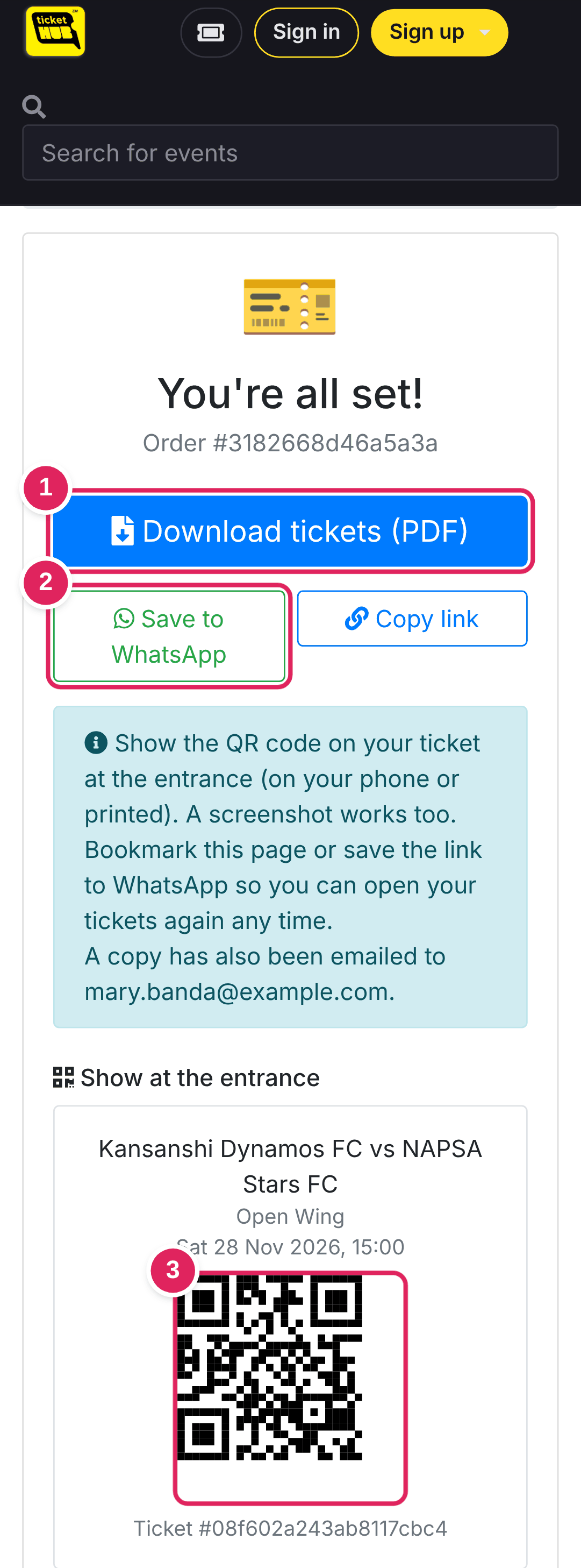
1 Download tickets (PDF) to keep a copy on your phone or print it.
2 Save to WhatsApp sends the link to yourself, so you can open your tickets again any time.
3 Each person has their own QR code. Show it at the entrance, on your phone or printed. A screenshot works too.
2
Lost the page? Use Find my tickets
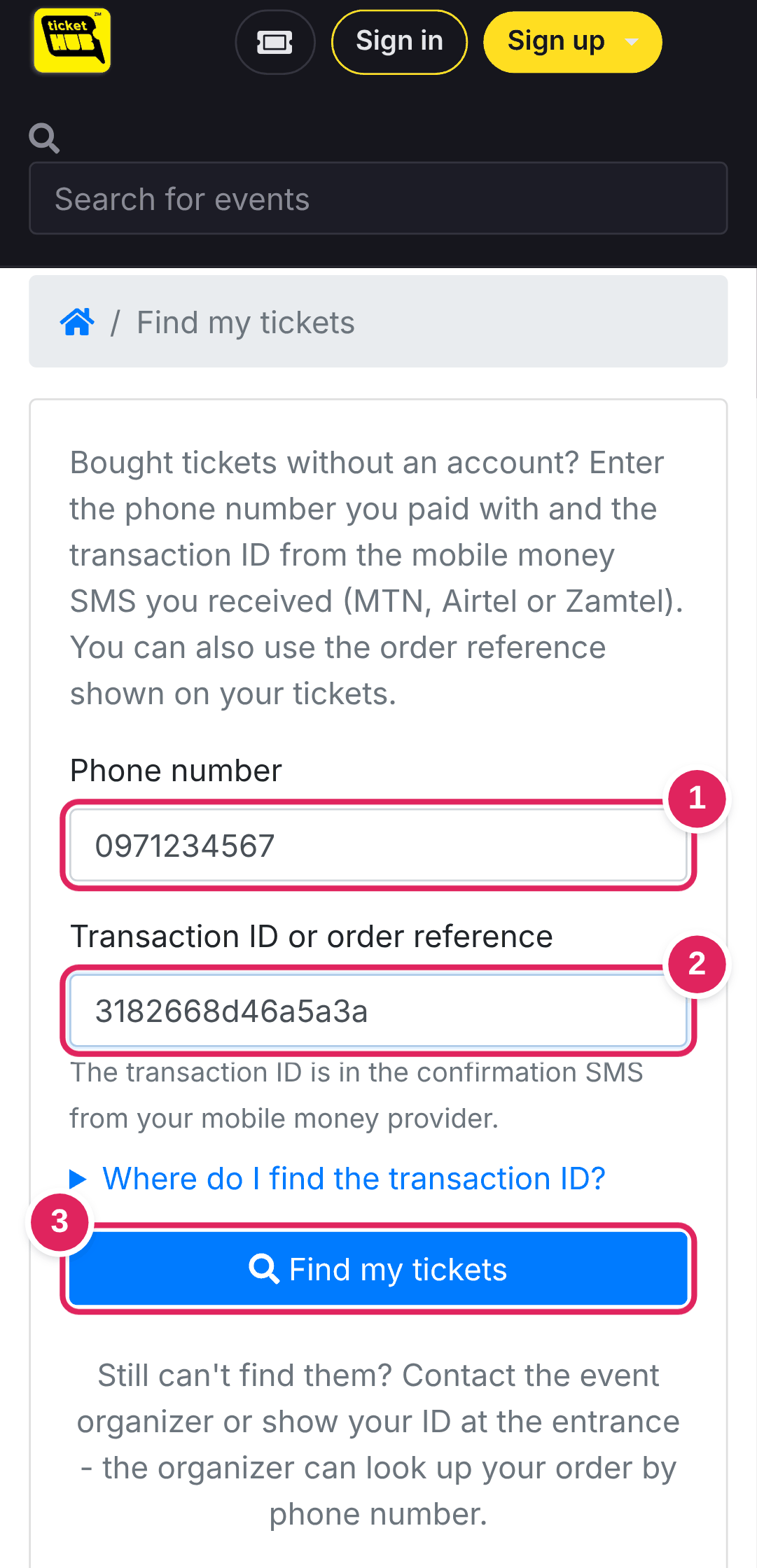
Open Find my tickets (there is a link at the bottom of every page).
1 The phone number you paid with.
2 The transaction ID from your mobile money SMS, or the order reference on your tickets.
3 Tap Find my tickets.
3
At the gate
Open your ticket and turn up your screen brightness. Staff scan each QR code once, and each code lets one person in. Don't post pictures of your QR code: whoever scans it first gets in.
Good to know
- Add ticketHUB to your home screen when your phone offers it. Your tickets then open even without data.
- Bought several tickets? Each person needs their own QR code. Send each friend their ticket or show them one by one.
- Still stuck? Call or WhatsApp us on +260 975 168 880.